
Some setups are made to be noticed. Others are made to be lived with. Tobias Kopparsjö, aka Trash, manage to do both. There's a confidence to his work, the kind that comes from someone who treats the home screen as a design surface rather than a decoration. Layouts breathe, every element earns its spot, and nothing feels accidental.
Born in Sweden and creative by nature, Tobias has built up a body of work that feels distinctly his, even when he moves between styles. We sat down with him to talk about his process, the tools he reaches for, and the mindset behind his designs.
Q: Tell us a bit about yourself. Who is Tobias, and how did you get into creating Android home screen setups?
Tobias Kopparsjö: I was born and raised in Sweden, and I'm in my late thirties. I've been creating setups for some time now. It all started back in 2016 when I got the Huawei P9. I really liked the hardware, but not so much the software, so the search for a custom launcher began. Like many others, I was a Nova user for many years. I've been using Smart Launcher for about a year now.
Q: Your setups have a very recognizable style: bold typography, dark backgrounds, strong contrast, and clean icon grids. How would you describe your style?
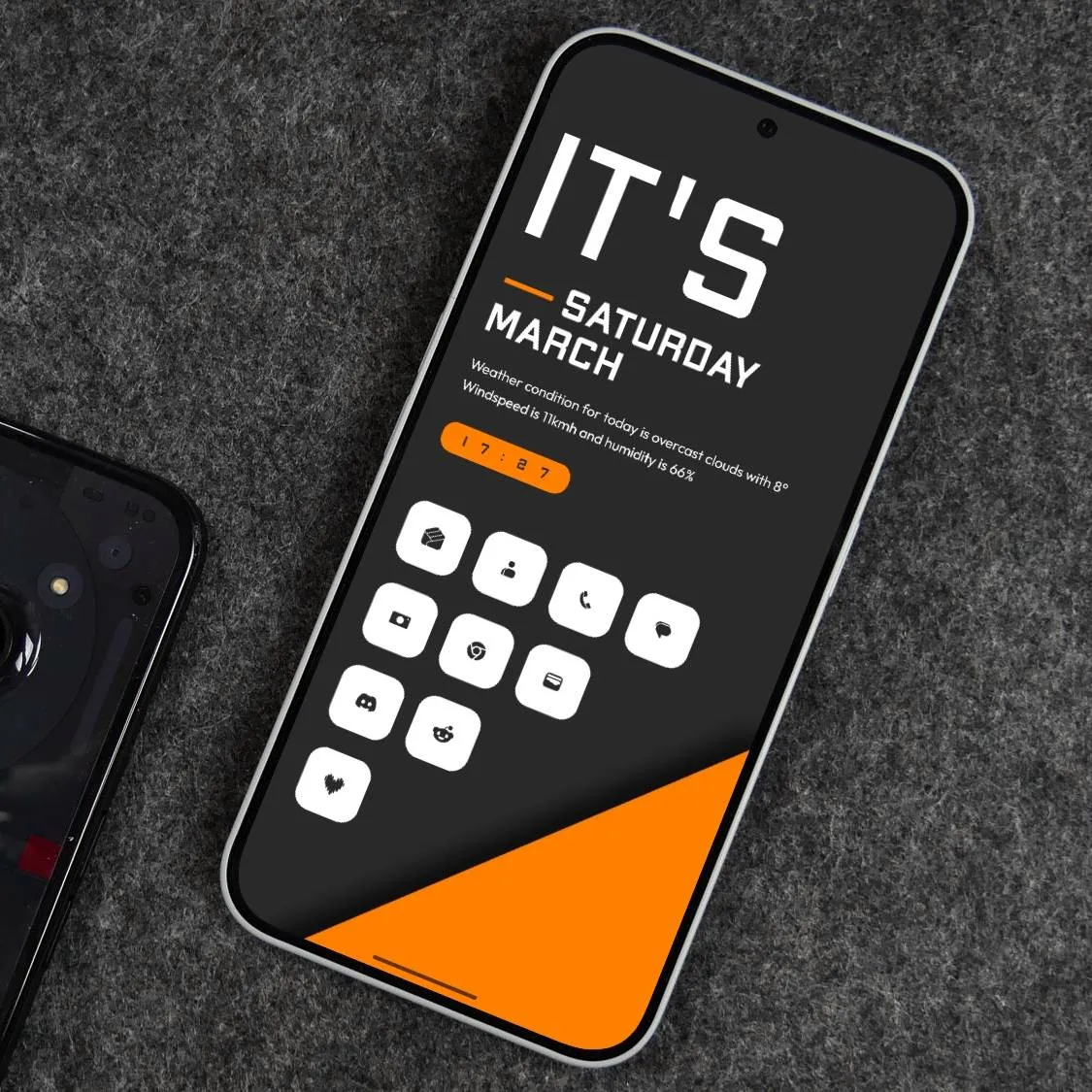
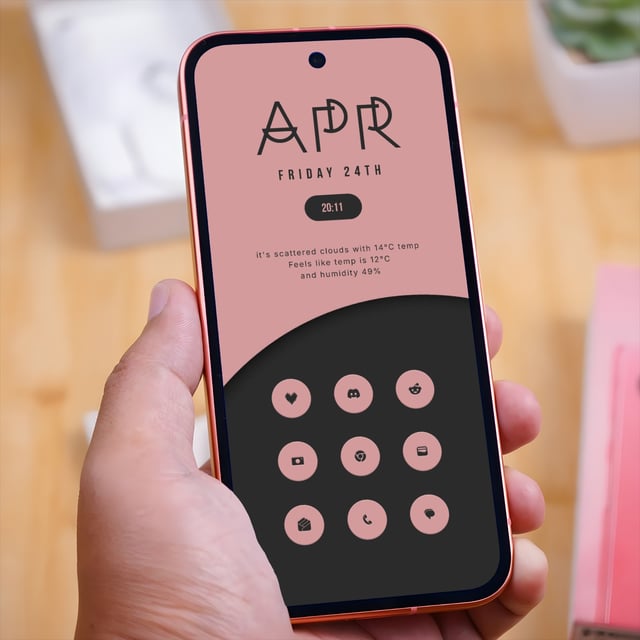
Tobias Kopparsjö: That's a really tough question. I'd like to think that I change styles from time to time, but if I had to pick one direction, I prefer something a bit brutalist, geometric, and functionalist. Dark setups with a pop of color have always been my preference.

Q: When you start a new setup, what usually comes first: the wallpaper, the widgets, the icons, the color palette, or a general idea?
Tobias Kopparsjö: Honestly, all of the above. I usually start with one of those elements and build from there. If I start with a wallpaper, then the search for (or creation of) widgets begins. I want the widgets to complement the wallpaper really well, so everything has to feel like it belongs together.
Q: Could you walk us through the creation of one of your favorite setups? What was the idea behind it?
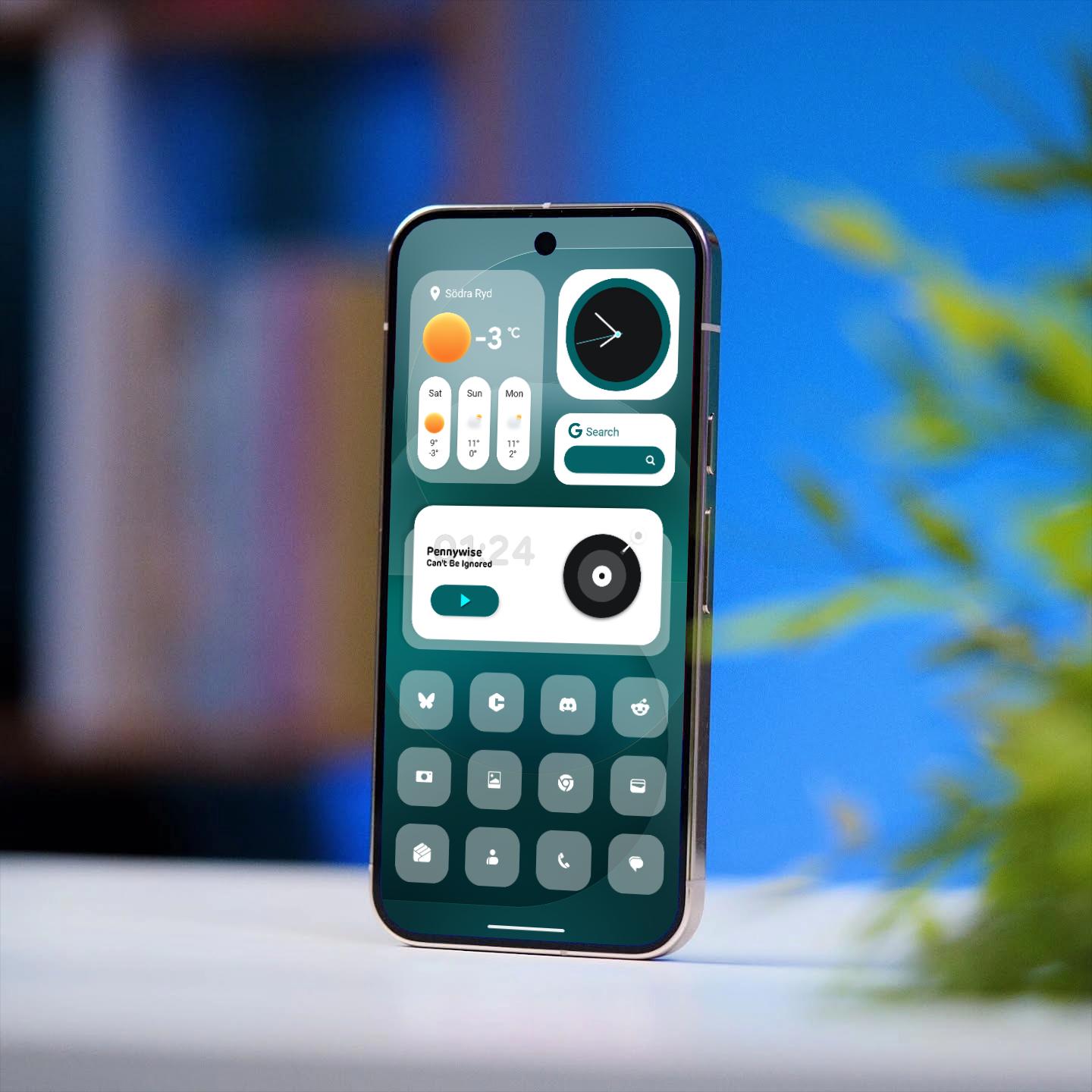
Tobias Kopparsjö: Sure, let's talk about the setup I actually use as my daily driver. I'm a Nothing Phone user and I really like the aesthetics of Nothing OS, but I wanted to tailor it to my exact needs. So I took inspiration from NOS and from a KWGT pack called Evrything widgets for KWGT, and I built all the widgets myself in KWGT. I'm really happy with how it turned out.

Q: What is usually the hardest part of creating a setup, and how do you solve it?
Tobias Kopparsjö: To be honest, I don't find it that hard to create a setup. But if I had to mention something, it would be finding that last thing that makes the setup come together, the X factor, so to speak. One thing that really helps is looking at other people's setups and trying to figure out what makes a particular setup work.
Q: What role does Smart Launcher play in your process? Which features help you the most when building this kind of layout?
Tobias Kopparsjö: Smart Launcher is really the foundation for everything I do. Widget Stacks, Icon Group Widgets, and Fine Positioning are features I can't be without.
Q: Your layouts are usually very precise and balanced. How do you approach spacing, alignment, and composition when designing a home screen?
Tobias Kopparsjö: A bit of OCD 😅 Jokes aside, I really like symmetry. From top to bottom, I want the setup to have equal spacing throughout. Everything has to breathe in the same way.

Q: Are there any tools, apps, icon packs, widgets, or font resources that you use often together with Smart Launcher?
Tobias Kopparsjö: Yes, as I mentioned, KWGT is a must for me. I also almost exclusively use Icon Pack Studio. When I make my own wallpapers, I usually use an app called Sketch, which is a simple painting app. I also like to use CreativeApp for the mockups I use to display my setups.
Q: You are very prolific and always seem to explore new ideas. What helps you stay inspired?
Tobias Kopparsjö: I'm a creative person at heart, a musician and a painter, so I always want a creative outlet. Making home screens is one of those outlets for me. Seeing the creativity coming out of the Smart Launcher community also pushes me to do more and to make better setups.
Q: What advice would you give to someone who wants to create more original home screen setups?
Tobias Kopparsjö: Basically: don't give up. I truly believe the best way to learn something is by doing, failing, and doing it again.
We hope you enjoyed getting to know Tobias and the thinking behind his bold, brutalist setups. His work is a great reminder that strong design often comes down to discipline, symmetry, and the patience to keep iterating until everything feels right.
If Tobias's approach inspired you, drop by our official Reddit community to see more of his work and connect with other Smart Launcher creators.
Would you like to be featured on our blog? Share your setups on social media and tag us, we'd love to see what you're building!
Keep following the Smart Launcher Blog for more interviews, tips, and stories from the community.


